|
Free download iTimeSync 1.502

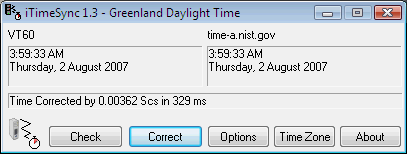
  Keep the clock of your PC, or even your whole LAN, synchronized to the correct time with iTimeSync. This can be done manually, with no configuration needed, by simply running the program and pressing "Correct". Alternatively, iTimeSync can also be set to automatically synchronize any minute / hour / day period and/or can be run as a Windows Service so it runs automatically and transparently in the background. iTimeSync supports both the TIME (RFC-868) and the SNTP (RFC-2030) protocols. Additionally, iTimeSync can even sync from another copy of iTimeSync on different computer as it can be used as a TIME or SNTP server over a LAN. Keep the clock of your PC, or even your whole LAN, synchronized to the correct time with iTimeSync. This can be done manually, with no configuration needed, by simply running the program and pressing "Correct". Alternatively, iTimeSync can also be set to automatically synchronize any minute / hour / day period and/or can be run as a Windows Service so it runs automatically and transparently in the background. iTimeSync supports both the TIME (RFC-868) and the SNTP (RFC-2030) protocols. Additionally, iTimeSync can even sync from another copy of iTimeSync on different computer as it can be used as a TIME or SNTP server over a LAN.
While servers names are included, this list can be easily changed, for example, to servers that are closer to your locality or to a local server on your LAN. Other features include time zone data display, time zone lock, server scan, detailed logging, auto advance to another server if the selected one fails, auto start, minimize to tray, check without change, correct only minutes and seconds mode, variable time-out, max/min times, and a positive or negative time offset can be set if you are in a obscure time zone or if you like your clock to be fast or slow.
iTimeSync is written in Assembly for maximum efficiency and speed.
iTimeSync 1.502 network & internet, timers & time synch software developed by ACAPsoft. The license of this network & internet, timers & time synch software is shareware, the price is 10.00, you can free download and get a free trial before you buy a license or registration. All iTimeSync 1.502 download links are direct iTimeSync full download from ACAPsoft site or their selected mirrors.
Keywords: Time, Internet, NIST, Synchronization, time zone, log, assembly, clock, server, Sinner, Shareware, Network & Internet, Timers & Time Synch, ACAPsoft, iTimeSync
Recent Changes: SNTP (RFC-2030) server, enhanced Date-Ranges, bugfixes
Install Support: Install and Uninstall
Supported Languages: English
Additional Requirements: Not Established
|




 (total votes: 0)


 Domain Quester Pro 6.02: Search for domains by unlimited number of keywords
 Advanced XLS Converter 2.55: With XLS Converter you can convert Excel (XLS) files into dozens of formats!
 AbleFTP 11.10: AbleFtp - FTP client designed to automate and run 1000+ FTP tasks a day.
 Audio DVD Maker 1.0: Audio DVD Maker is an innovative utility for you to personalize your own DVD